Submitting a Feature Request


How to Submit a Feature Request
Have a product idea or something you'd love to see us build? Here's how to get it in front of our product team.
Submit via RevCity
The easiest way to submit a feature request is directly through RevCity, your customer portal.
- Go to the RevCity section
- Click Roadmap
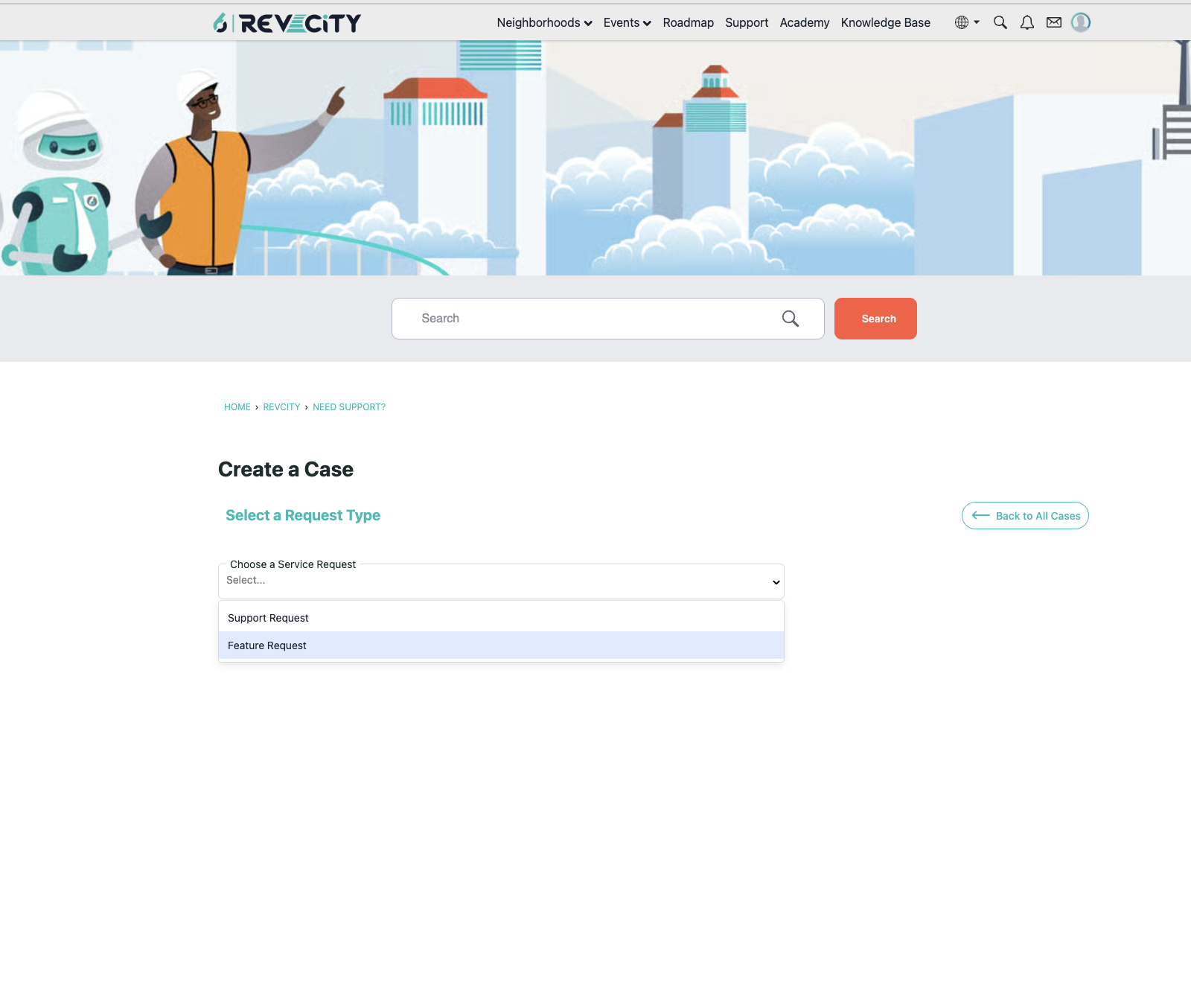
- Select Request a New Feature
- Click Create a Case
- Choose Feature Request as the case type
- Fill in the following:
- Product area
- A clear subject and description of what you're looking for and why it matters to your team
- Your email
- Hit Submit
That's it. Your request goes directly to our product team for review.
Understanding Your Feature Requests Page
Once you've submitted one or more feature requests, you can view and manage them from the Manage Your Cases page in RevCity. Here's what you're looking at:
At the top of the page, you'll notice an important callout: due to recent changes in how 6sense captures customer feedback, submitting screenshots and receiving status updates directly on feature requests is no longer supported within this view. For the latest on what's being built and what's coming, the roadmap portal is now the primary place to track progress.
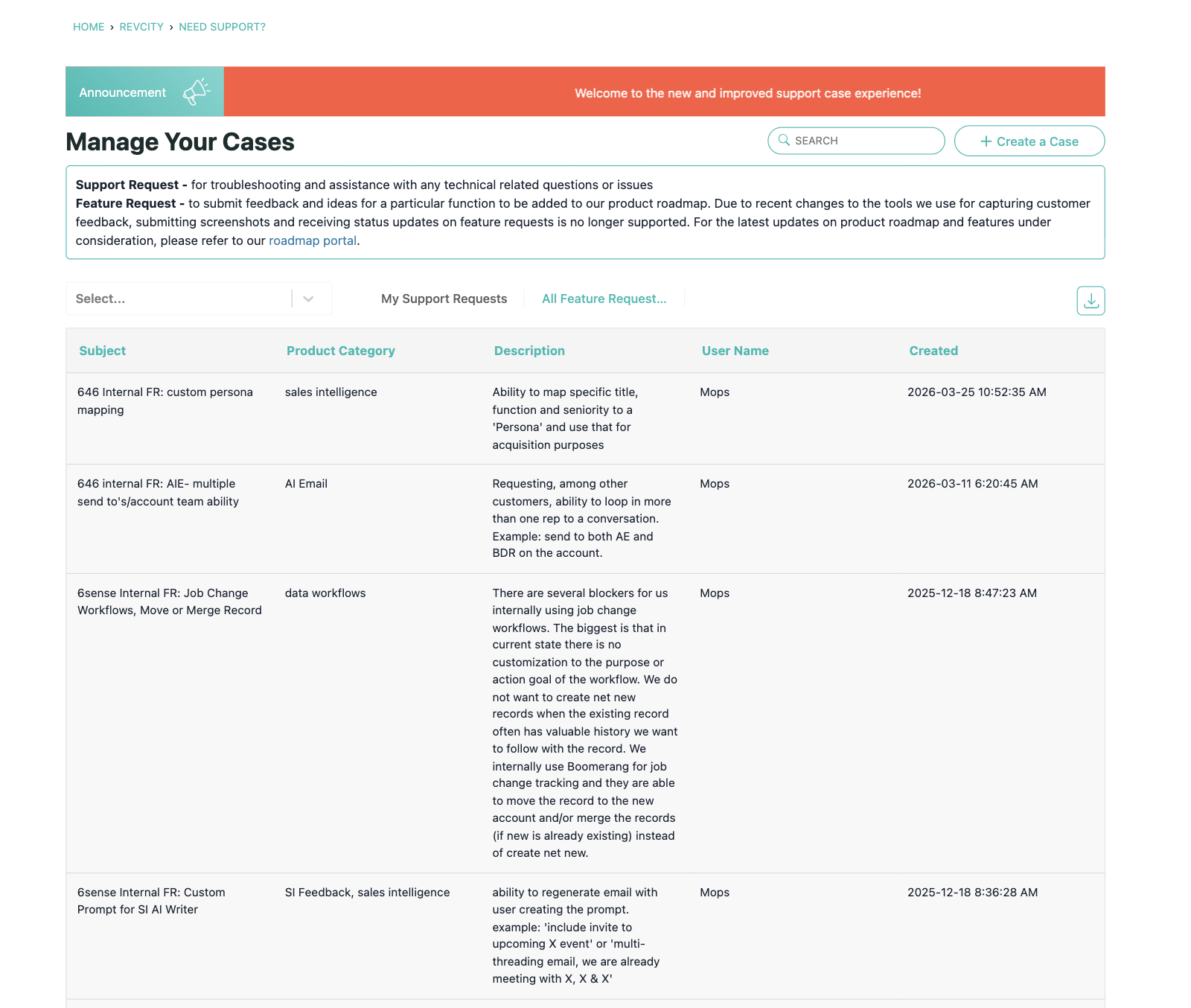
The table below that message shows all of your submitted feature requests, organized by Subject, Product Category, Description, User Name, and the date Created.
You can toggle between My Support Requests and All Feature Requests depending on whether you want to see just your own submissions or everything submitted across your organization. There is also a download button in the top right of the table if you'd like to export your request history as a CSV.
To navigate to the roadmap from here, look for the roadmap portal link in the notice at the top of the page, or return to the RevCity homepage and click Roadmap in the navigation.
How to Track What Happens Next
Once submitted, your request is reviewed by our product team and considered in roadmap planning. Here's how to stay in the loop:
Check the roadmap - you can always see what's been prioritized and planned on our customer-facing roadmap, available in RevCity under Roadmap. If your request has been picked up, you'll see it there.
Quarterly reviews - high-priority feature requests are reviewed by our product team each quarter as part of our roadmap planning process. The more context you provide on the business impact, the better positioned your request is to be considered.
Tips for a Strong Request
- Be specific about the problem you're trying to solve, not just the solution you have in mind
- Include context on how it affects your team or workflow
- If multiple people at your organization want the same thing, have them submit separately — volume matters
Questions? Reach out to your Customer Success Manager.
Upcoming Events
-
BREAKTHROUGH 2026: The Agentic GTM Conference
Breakthrough 2026 is three days built to help you win in the agentic GTM era, featuring real research, hands-on skill-building, and a certification to prove you can apply it, alongside the ideas, inspiration, and connections you'll carry with you long after the sessions end.
-
Special Edition RevLabs Live: Agentic GTM That Makes Sense
About the Event Go-to-market is changing quickly, and 6sense continues to innovate to help you win in this agentic era. In this special edition of RevLabs Live, Kelly Hopping, Chief Marketing Officer, and Kimberly Bloomston, Chief Product & Technology Officer, will share the context behind 6sense’s next chapter and preview…
-
2026 B2B Buyer Experience Report: The Secret Life of B2B Buyers
Tune in for an exclusive webinar where 6sense’s Head of Research & Thought Leadership, Kerry Cunningham, and Sara Boostani, Sr. Marketing Research Analyst, draw on insights from the 2026 B2B Buyer Experience Report. They will share what more than 4,600 recent B2B buyers told us about why journeys stall, and what gets them…
Categories
- All Categories
- 1 RevvyAI
- 22 Maturity Model
- 6 Groundwork Use Case Playbooks
- 7 Transform Use Case Playbooks
- 6 Maximize Use Case Playbooks
- 1 Crossword
- 762 All Discussions
- 65 Product Updates
- 61 6th Street
- 12 Welcome
- 5 Academy News
- Academy Course Reflections
- 4 Administrator Certification
- 2 Sales Certification
- 4 Advertising Certification
- 11 Demand Gen Plays
- 23 Reporting HQ
- Business Value Assessment (BVA)
- 46 AI Email
- 2 What is AI Email?
- 8 AI Email Use Cases
- 16 Thriving with AI Email
- 6 Conversation Starters
- 235 Job Board
- 34 General
- 11 Partner Place
- 241 Research Road
- Compensation Calculator
- 79 Sales
- 14 Pipeline Generation Tuesdays
- 19 BDR Block
- 11 SKO Supplies
- 7 Advice
- 2 Assets
- 19 Verticals
- 10 Manufacturing, Logistics & Supply Chain
- 7 Financial Services
- search-results
- 301 Events
- 54 Inspire UK
- 8 Inspire 26
- 11 Inspire 24
- 12 6sense Quarterly Product Update (Recordings)
- 26 Customer Story Hour (Recordings)